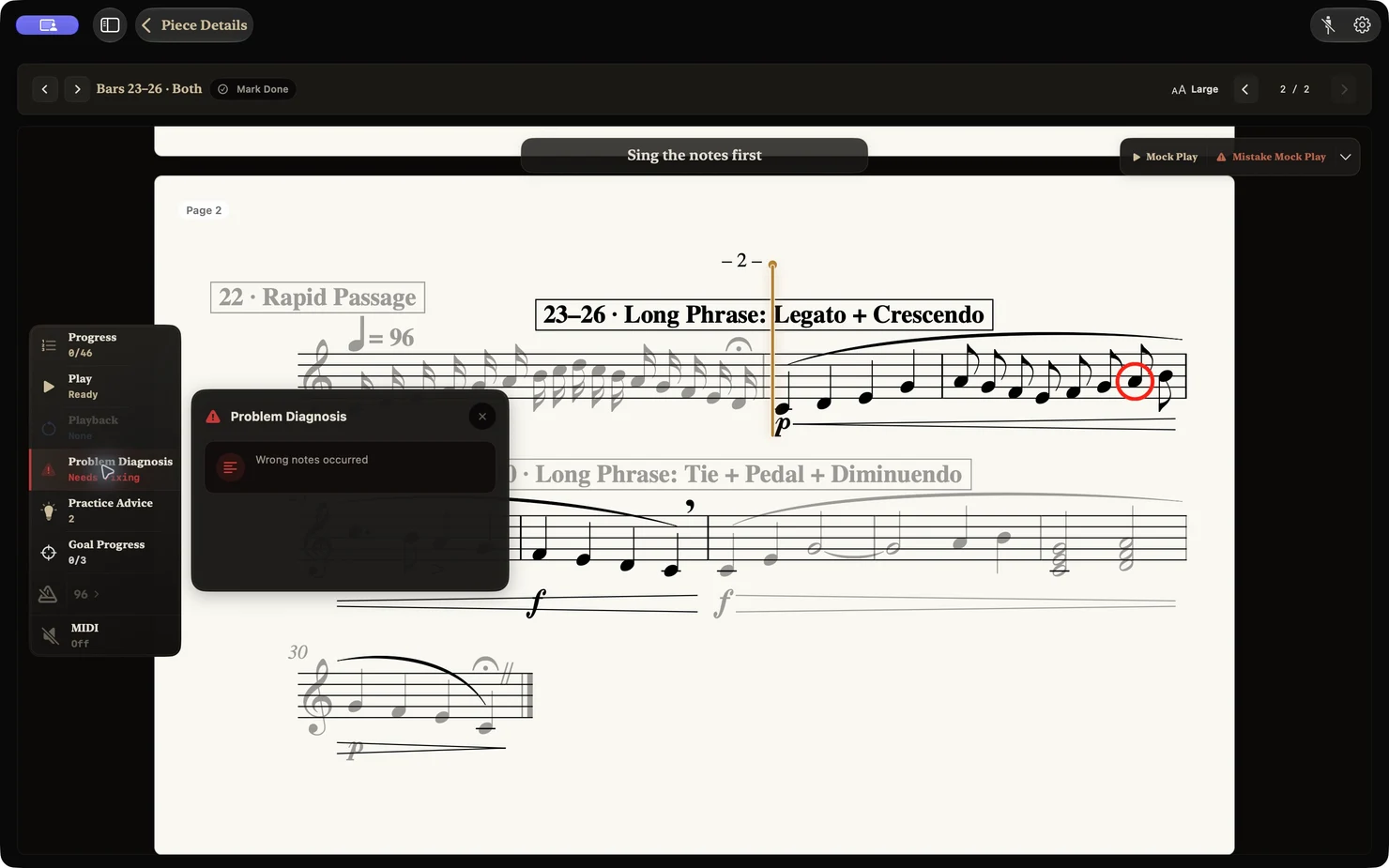
Smart Practice
A piece split into phrases: hands separately, hands together, then the full performance. One task at a time, and it remembers where you stopped.
Piano lessons & practice coach · Mac, iPad, iPhone
Start with 38 beginner piano lessons, then practice real pieces. Connect a digital piano or MIDI keyboard and PianoTrace shows you what to work on next.
First two units free · No experience needed
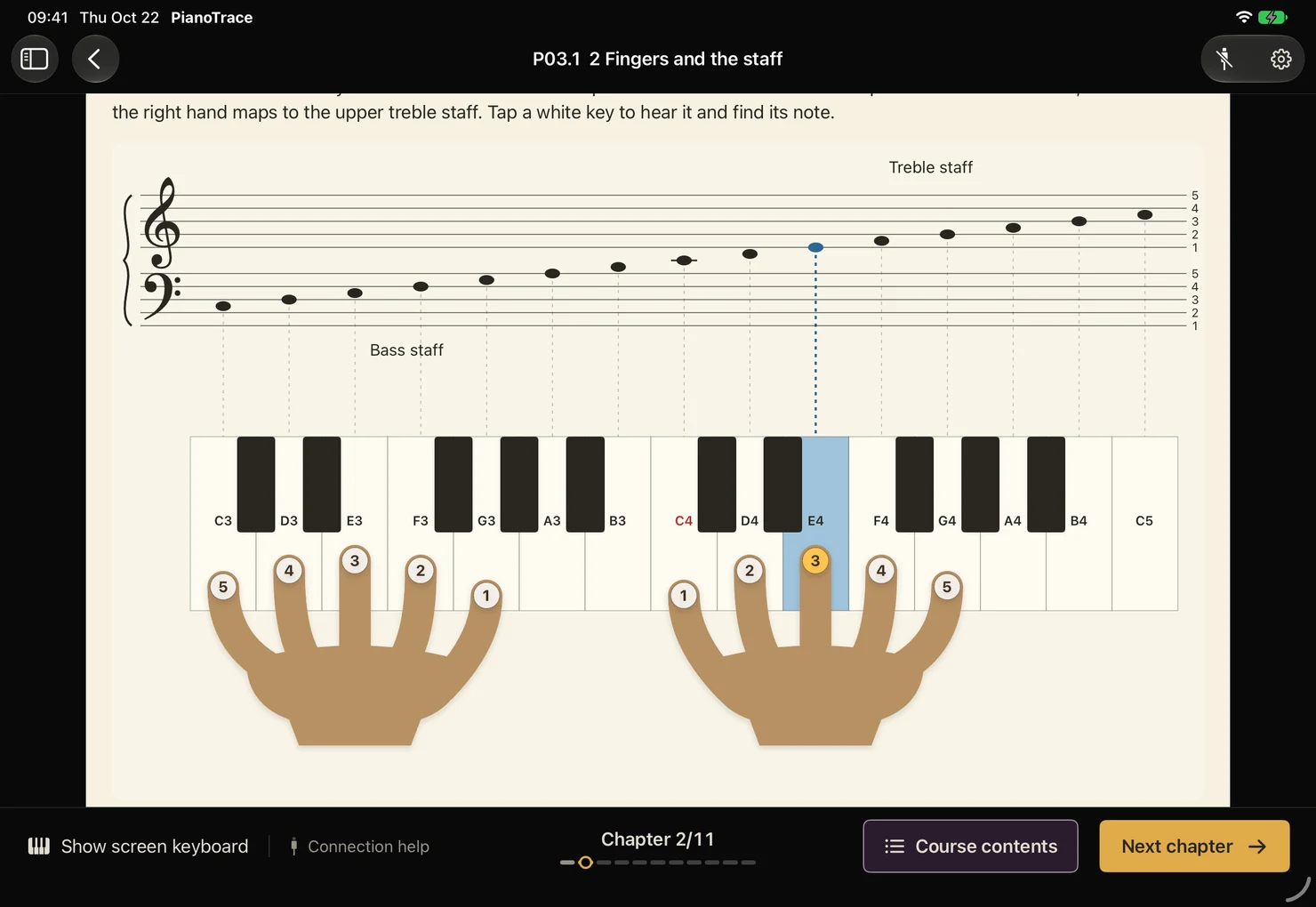
Piano lessons for absolute beginners
The Preparatory course takes you from your first key to playing with both hands. Diagrams, demonstrations and hands-on exercises connect keys, notes and fingers, and build skills that carry over to every new piece.
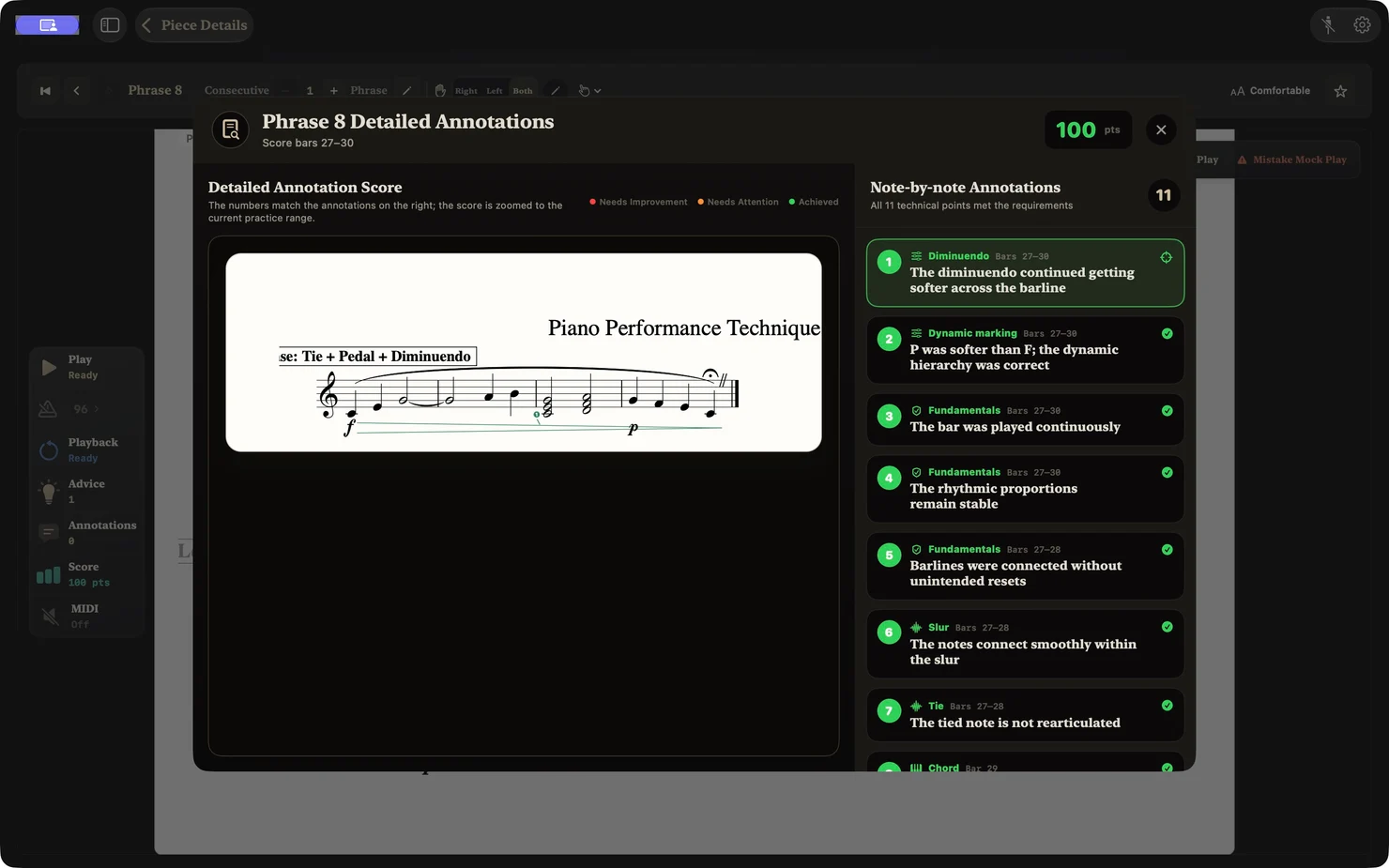
Note-by-note piano feedback
PianoTrace compares your playing with the score and reviews it by measure and by note, with a suggestion for what to practice next.
Piano score difficulty analysis
Every score is rated on seven dimensions, and the passages that will challenge you are marked in the music.
Difficulty describes what a score demands. It is not an exam grade or a prediction of learning time.
A piece split into phrases: hands separately, hands together, then the full performance. One task at a time, and it remembers where you stopped.
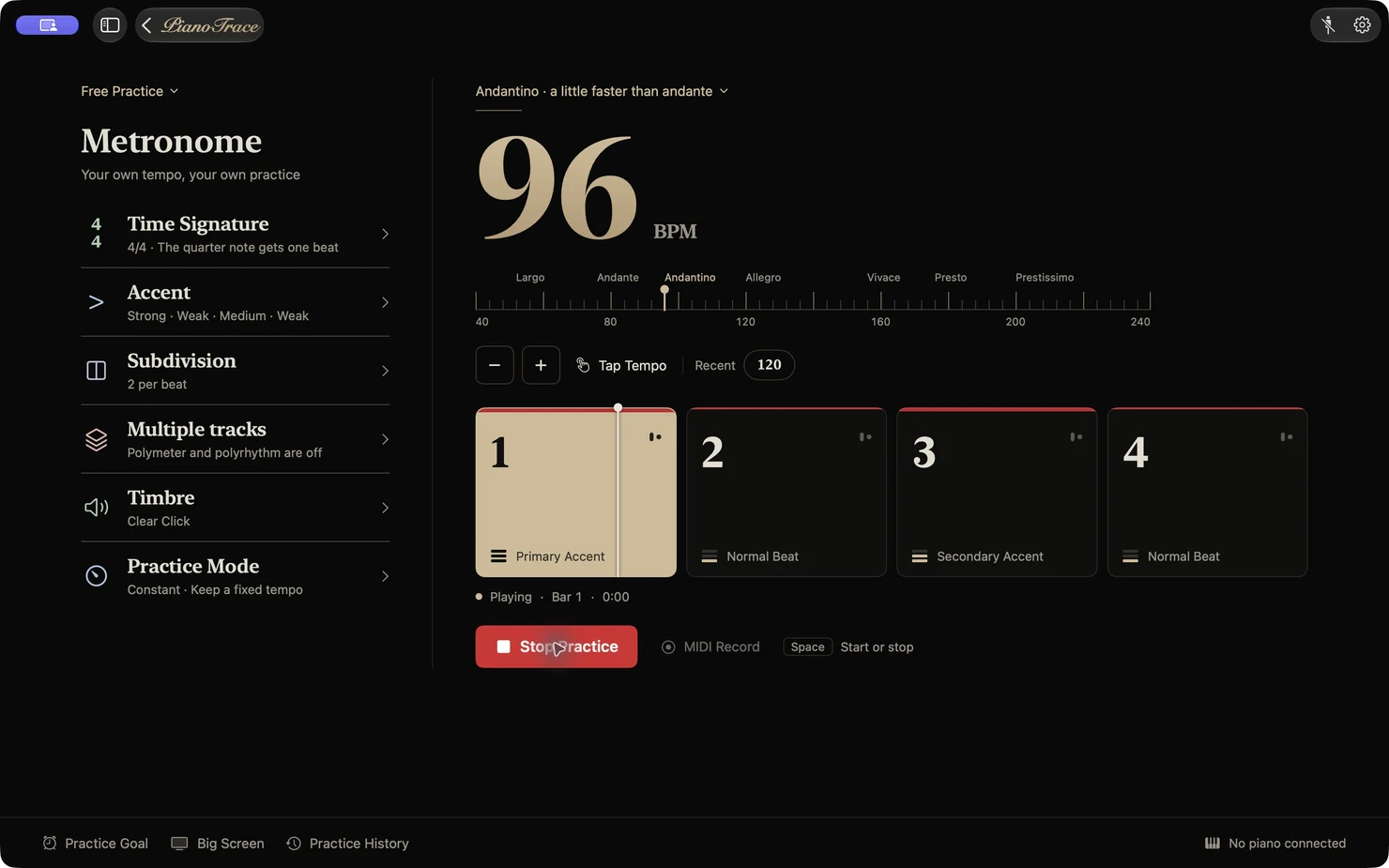
Tempo, accents, subdivisions, multiple time signatures and polyrhythms, with piano and click volume balanced separately.
At a glance
PianoTrace is a native macOS, iPadOS, and iOS piano learning and practice app combining 38 beginner lessons, 2,800+ difficulty-rated classical scores, custom MusicXML/MXL import, and note-by-note MIDI performance feedback.
| Specification | Details |
|---|---|
| Platforms | Native app for macOS, iPadOS, and iOS (App Store) |
| Performance input | USB MIDI and Bluetooth MIDI from digital pianos or MIDI keyboards (no microphone listening) |
| Built-in course | Preparatory course: 12 units, 38 guided lessons from middle C to hands-together playing |
| Score library & import | 2,800+ public-domain classical scores (130+ composers) + custom .musicxml, .xml, and .mxl import (no PDF/image import) |
| MIDI feedback | Measure- and note-level annotations across pitch, rhythm, legato, staccato, dynamics, pedal, and continuity |
| Score analysis | 7-dimension objective difficulty analysis + phrase, section, and recurring-material structure navigation (no MIDI required) |
| Practice tools | Smart Practice (hands separate, hands together, phrases, connections) + practice metronome with subdivisions and polyrhythms |
| Sync & privacy | Local-first storage on device; optional iCloud sync across Mac, iPad, and iPhone with Pro |
| Access model | Free download with the first two course units included; PianoTrace Pro via subscription or one-time lifetime purchase |
Compare PianoTrace with other MIDI piano apps for Mac & iPad
Questions
Devices, keyboards and pricing, answered.
Yes. The Preparatory course starts at the very first key: middle C, beats, note values and the staff. Its 12 units and 38 lessons lead to playing short pieces with both hands.
Lessons, demonstrations and the score library work on their own. Note-by-note feedback needs a digital piano or MIDI keyboard, because PianoTrace reads MIDI rather than listening through the microphone.
Any digital piano or MIDI keyboard that connects to your Mac, iPad or iPhone as a MIDI device. PianoTrace runs on macOS, iPadOS and iOS.
The first two units of the Preparatory course are free. PianoTrace Pro unlocks the full course, in-depth difficulty analysis, Smart Practice, detailed annotations and iCloud sync, as a subscription or a one-time lifetime purchase.
Yes. Import MusicXML (.musicxml, .xml) or MXL files, or choose from more than 2,800 classical scores by over 130 composers.
Each score is rated on seven dimensions, from rhythm and reading to hand span and articulation, and the passages that will challenge you are marked. It describes what the score demands, not an exam grade.
Piano practice guides
Start learning piano today with PianoTrace.
Download on the App StoreFor Mac · iPad · iPhone